Affordable AAC: Amazon Fire vs. Android vs. iPad – in 2025 (will be updating soon for 2026)

In addition to creating communication boards, flip books and true object based icons for non-tech AAC, I look at using whatever tech an individual has and finding a good affordable option to put on that so they have something to use immediately.

These can be helpful to use until an AAC eval can be completed, until a more robust option can be purchased, to meet a short term need or as a secondary tool to offer features that might not be available in their main AAC device, etc.

Or this may be what they use long term. Unfortunately not everyone has access to getting an AAC eval or options for funding more robust AAC so there are individuals who may rely on these affordable devices and apps as their only option.

It is also a reality that not everyone can afford an iPad so that’s why this blog post covers the three main app stores.

This is intended to give you a *general* idea of the overall cost of purchasing AAC for use on Amazon Fire vs. Android vs. iPad in 2025.


Total cost of a good model of tablet + good case with a rotating stand + a robust symbol-based AAC app:

• Amazon Fire: $310.00

• Android: $480.00

• iPad: $520.00

Prices would be $100 less if purchasing the app during a 50% off sale (typically in April and October). Additional savings if purchasing a tablet or iPad during a sale. These prices don’t include any extras like in-app purchases for premium symbols, premium voices, extra pagesets / vocab files, Apple Care, a screen protector or a extremely protective case, etc…


If the cost of purchasing a robust AAC app is too high even during a sale, consider a robust app that offers a monthly subscription or check out the “Basic Feature Chart for Affordable and Free AAC apps & AAC-Related Apps (iOS, Android Google Play, Amazon Fire, Windows + a few Web-Based options)” (everything featured in that resource is priced under $14.99 and many are free)


How I came up with these numbers …

This is a cost comparison based on prices of devices and cases that I purchased and is just a general comparison. Avaz and WeaveChat are used in this comparison since they are the most robust symbol-based AAC apps available across all three platforms (Avaz on Amazon Fire would require side loading the Google Play Store). I am not including CoughDrop in the comparison this time. Unfortunately that app has become increasingly glitchy since it was acquired by Forbes AAC. Prices will vary based on the AAC app and whether or not you wait to purchase during sales.

Amazon Fire Tablet:

Amazon Fire HD 10 tablet, 10.1″, 64GB, with lock screen ads (2023 release, 13th generation): https://a.co/d/5yNpQ04, sale price today: $104.99 (regular price $179.99). I got a better deal during Amazon Prime Days in July 2024 when it was on sale for $84.99. I got a total of $42.00 in incentives (20% off my new tablet = $17 + $25 gift card). A couple of days later I paid $15 to remove the ads. So I only ended up paying $57.99 for this brand new tablet with double the memory, a much better processor and larger screen compared to the Amazon Fire HD 8 tablet, 8″ HD display, 32GB (2020 release) that I traded in.

BORXJNM Case: https://a.co/d/ek6FfmT, $14.99

Total if purchased 3/21/25 with no trade-in: $119.98 (would be less expensive during Amazon Prime Days Sale)

Robust symbol-based AAC app options:

• Avaz (Free app, 2 week free trial, then subscription ($9.99/mo or $99.99/yr look to see what new prices are) or a one time $299.99 purchase), side loaded from Google Play App Store

• Weave Chat AAC: totally FREE

• CoreVoice: $49.99

Total cost of tablet + case + robust symbol-based AAC app:

~ $158.97 – $308.98 (or as low as $113.97 – $163.98 if you get the tablet on sale and get Avaz or CoughDrop when they are 50% off – typically in April & in October).


Android Tablet:

Samsung Galaxy Tab S6 Lite 10.4″, 64GB: https://a.co/d/07JEMhI, $249.99 (the price has gone down since I purchased mine for $299)

Case with rotating stand (similar to the Pepkoo). I ended up purchasing one on eBay (https://www.ebay.com/itm/374088538546. Sadly that case is out of stock. I contacted the seller on eBay and they won’t be getting any more). It’s difficult to find cases with this type of rotating stand for the Samsung Galaxy Tab S6 Lite 10.4” Android tablet. I found this one but haven’t seen it in person: https://www.ebay.com/itm/114920453285, $28.99

Total: ~ $278.98

Updated 9/20/22: Looking for an affordable option for pocket-sized AAC? Many users prefer to just add an app to their iPhone or Android phone but some settings don’t allow phones (or it would be a battle to get an exception). The iPod Touch used to be my “go to” option for this. Since the iPod Touch was discontinued I purchased an Android Samsung Galaxy A03s (prepaid TracFone that has NOT been activated for cellular service) on Amazon. Shout out to Karen Erickson for sharing that idea in a comment in the AAC for the SLP group. It was only $59.88 and essentially gives me an Android equivalent to an iPod Touch (which Apple has discontinued) for pocket-sized AAC. I added a $12.99 case that has a tiny ring stand and sliding cover for the camera. So for $72.87 (+ the cost of the app) I have a very affordable pocket-sized AAC device: https://omazingkidsllc.com/2022/09/20/affordable-pocket-sized-android-aac/


Robust symbol-based AAC app options:

• Avaz (Free app, 2 week free trial, then subscription ($9.99/mo or $99.99/yr) or a one time $199.99 purchase)

• CoughDrop (Free app, 2 month free trial, then subscription ($6/mo) or one-time purchase ($200). More info about their other subscription options: https://bit.ly/3h8aEC1)

• CoreVoice: $49.99

Total cost of tablet + case + robust symbol-based AAC app:

~ $328.97 – $478.98 (or $378.98 if you get Avaz or CoughDrop when they are 50% off – typically in April & in October)


iPad:

iPad 9th gen, 64GB: https://a.co/d/3VSOLY7, $299

Pepkoo case: https://a.co/d/curQA4K, $20.99

OR

If you also need a shoulder carrying strap look at the Pepkoo Triple Shockproof Case: https://a.co/d/0RyWDMz, $26.99

Total: ~ $319.99 – $325.99

Robust symbol-based AAC app options:

• Avaz: Free app, 2 week free trial, then $9.99/mo or $99.99/yr subscription or $199.99 one time purchase

• Clicker Communicator: $199.99

• CoreVoice: $49.99

• CoughDrop: Free app, 2 month free trial, then $6/mo subscription or $200 one time purchase. More info about their other subscription options: https://bit.ly/3h8aEC1

• GoTalk Now / GoTalk Now Plus: $99.99 / $169.99

• Grid for iPad: free version with 30 day free trial, then $10.99/mo subscription or $399.99 one time purchase

• LAMP Words for Life: $299.99

• Niki Talk 2 Pro: $89.99

• Proloquo + Proloquo Coach: free app, 30 day free trial, then $9.99/mo or $99.99/yr subscription

• Proloquo2Go: $249.99

• Speak for Yourself: free version with 30 day free trial, then $299.99 one time purchase

• Talk Suite Pro: $199.99

• TD Snap: free version with 60 day free trial, then $49.99 one time purchase

• TouchChat with WordPower: free version with 30 day free trial, then $299.99 one time purchase

Total cost of iPad + case + robust symbol-based AAC app:

~ $369.98 – $725.98 (varies depending on the app, some of these apps are ~50% off twice a year. As a comparison to the Amazon & Android versions, the total if you got Avaz or CoughDrop for 50% off = ~ $419.99

If you are looking for a cost comparison of digital PODD options see this post: https://omazingkidsllc.com/2021/01/09/review-comparison-of-features-in-digital-podd-ipad-apps-in-2021-simpodd-grid-for-ipad-snap-core-first-and-podd-with-compass/


Updated 10/18/22

Apple launched the iPad 10th gen today (10/18/22). Unfortunately they changed the size. It’s 10.9” instead of 10.2”.

Which means the cases that we have been using/recommending for the 7th gen/8th gen/9th gen iPads won’t fit the 10th gen.

It might be awhile before case manufacturers get good cases for the 10th gen on the market. Especially cases with the features that we want for AAC users.

Apple also raised the price by $120.

  • 10th gen, 64GB: $449
  • 9th gen, 64G: $329

Amazon currently has the 9th gen, 64GB iPad on sale for $269: Limited-time deal: 2021 Apple 10.2-inch iPad (Wi-Fi, 64GB) – Silver https://a.co/7YHiqTO

<< sigh >> 😢

I had hoped that Apple would continue to leave that base model iPad at the same size and price since we had been having a good multi-year run of Apple leaving the base model iPad specs alone. So on the verge of a recession they decided that it’s time for a $120 price jump and put stress on case manufacturers with the size change. This is why we have lost so many great case options over the years (GripCase, LifeProof Nüüd, etc..). Apple claims to care about accessibility but then is this clueless 🙄😢

If you know someone who was thinking about getting an iPad for AAC, I’d let them know so they can get a good price on the 9th gen before those are no longer available


Windows: The cost would vary greatly depending on the type of tablet or laptop purchased. The Windows tablet that I purchased would not be durable enough for primary use for AAC.


This post is not implying that price should be the sole factor when choosing AAC but it is acknowledging that in real life many folks have to purchase this on their own and price is a factor.


How to Install the Google Play Store on an Amazon Fire Tablet: https://www.howtogeek.com/232726/how-to-install-the-google-play-store-on-your-amazon-fire-tablet/ (I like that he keeps that post updated. Pay close attention to the instructions for your exact model of tablet & follow the precise instructions)

Tips: If you are using an Android tablet & an Amazon Fire Tablet with the Google Play App Store side loaded, be sure to toggle on Family Sharing before making app purchases & make the purchases from the Google Play App Store on your Amazon Fire Tablet. Those have been recognized by Google Play on my Android tablet. The reverse was hit and miss (likely due to the side loading).


In-depth post about the Pepkoo cases: https://omazingkidsllc.com/2021/04/30/pepkoo-ipad-8th-gen-case-features/


A series of three videos comparing AAC options across four platforms: Apple iOS, Android Google Play, Amazon Fire & Windows:


* Comparison of voice loudness and quality for AAC: iPad, Samsung Android, Amazon Fire & Windows (4:20):

* Considerations for AAC on Different Platforms: iPad, Android, Amazon Fire & Windows (6:17):

* A look at AAC options across platforms: Windows, Amazon Fire, Android Google Play, Apple (12:55):

* Comparison of Samsung tablet vs Samsung phone:


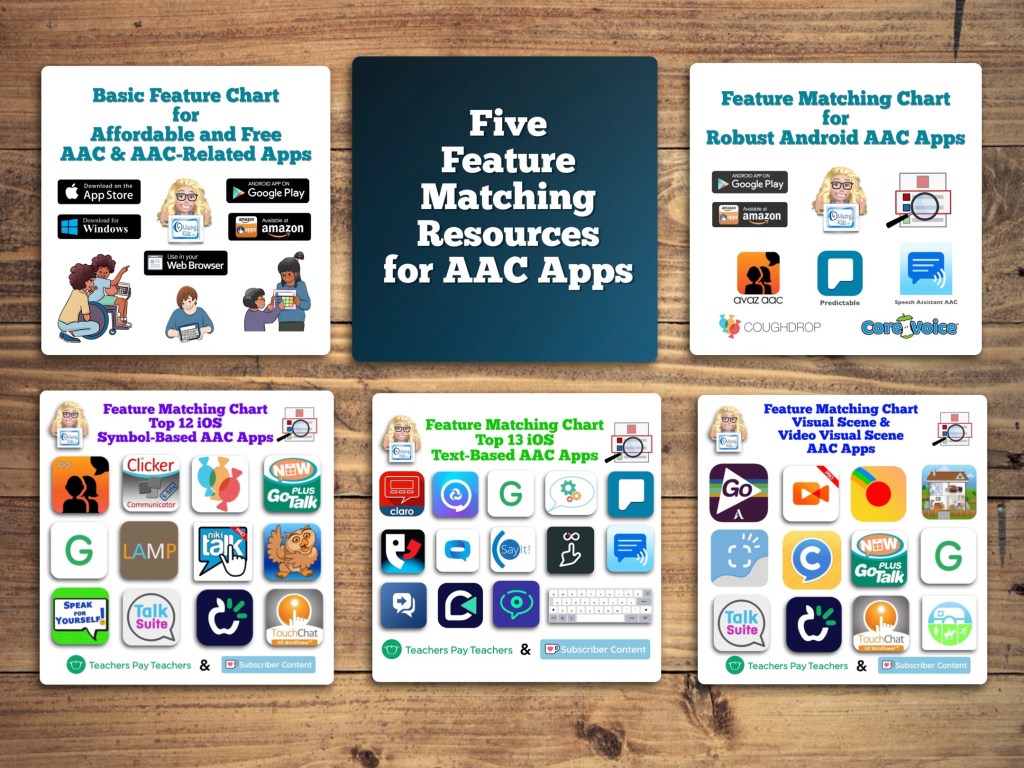
Those who have access to a funding source and want in-depth info about the features in AAC apps should read: Five Feature Matching Resources for AAC Apps (comparing features in AAC apps) + several videos comparing AAC apps across platforms (iPad, Android, Amazon Fire, Windows), https://omazingkidsllc.com/2022/08/10/five-feature-matching-resources-for-aac-apps-comparing-features-in-aac-apps-several-videos-comparing-aac-apps-across-platforms-ipad-android-amazon-fire-windows/


Have a question? The best way to reach me is via Facebook messaging over on my OMazing Kids page: https://www.facebook.com/OMazingKidsAAC/

Angela Moorad, MS, CCC-SLP, Founder of OMazing Kids, LLC, OMazing Kids AAC Consulting

• Teachers Pay Teachers Store: https://www.teacherspayteachers.com/Store/Omazing-Kids-Aac-Consulting

• YouTube: https://youtube.com/user/amoorad1

• Ko-Fi: https://ko-fi.com/omazingkidsaac

• OMazing Kids AAC Consulting Facebook Page: https://www.facebook.com/OMazingKidsAAC/

• AppPeeps Facebook Group: https://www.facebook.com/groups/OMazingKidsAppPeeps/

• GoTalk Now AAC & GoVisual Visual Scene Apps – Ideas and Sharing Facebook Group: https://bit.ly/GoTalkNowAACappGroup

• Instagram: https://www.instagram.com/omazingkidsaac

• Twitter: https://www.twitter.com/amoorad

• Pinterest: http://pinterest.com/OMazingKids/

• Linktree: https://linktr.ee/amoorad1

• LinkedIn: https://www.linkedin.com/in/angelamooradomazingkidsaac

• Blog: https://omazingkidsllc.com

Updated Resource: Feature Matching Chart for Pragmatic Vocabulary Organization AAC Apps (updated 1/13/26)

Resource Update: The Feature Matching Chart for Pragmatic Vocabulary Organization AAC Apps has been updated (1/13/26).

Those who have previously purchased it on TPT can download the newest version for no additional cost: https://bit.ly/PragmaticOrgVocabAAC-FeatureMatching-TPT.

Ko-fi subscribers will be able to access a copy on the pinned resource post: https://ko-fi.com/Post/Links-to-posts-about-most-current-feature-matching-F1F5C9DMD


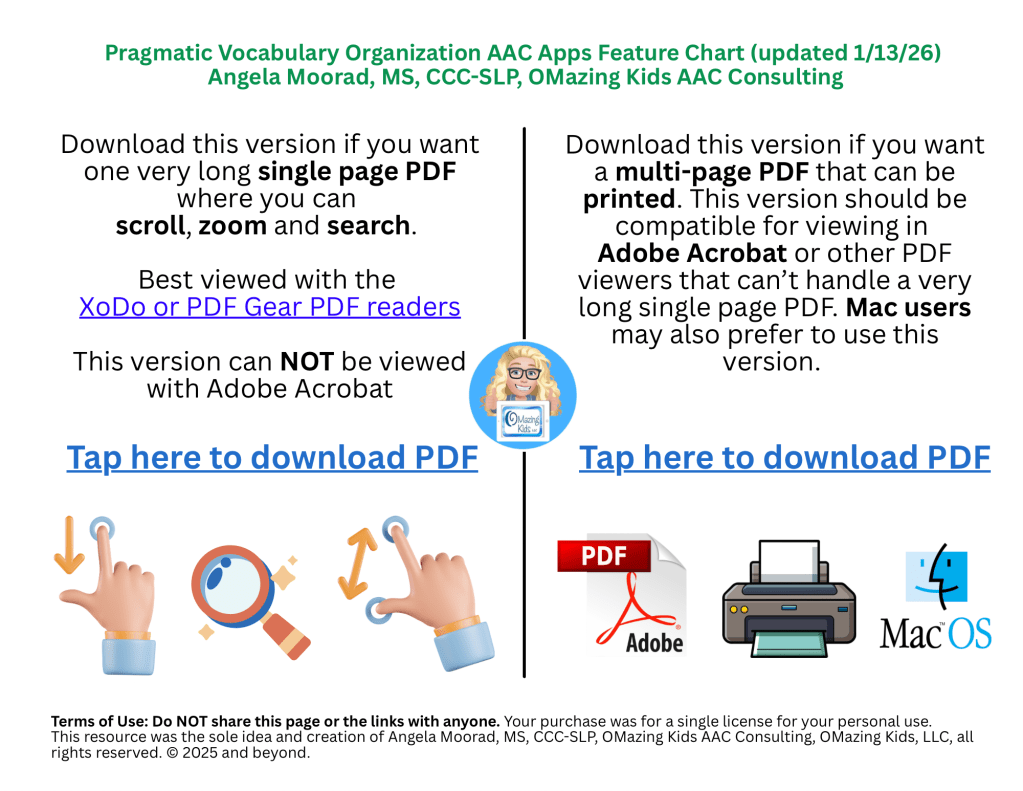
Added a new Landing Page to help folks choose which version of this resource you need (a single long page PDF where you can scroll, zoom and search OR a multipage PDF for those who want to print, view it in Adobe Acrobat or on a Mac computer)

There are 125 rows in the chart. But it’s super easy to use the “search” option in the XoDo or PDF Gear PDF viewers to find what you want quickly. See this blog post for info: https://bit.ly/XodoApp.


Note: CoughDrop is being removed from all of my feature matching resources. See this blog post: https://bit.ly/AACappReliability-AppDeveloperTrustworthiness. The open source Sequoia 15 board set can be imported and used in AsTeRICS Grid but that will have different interface features than CoughDrop did.


Looking for other in-depth AAC feature matching resources? See this blog post: https://bit.ly/5aacFeatureMatchingResources. That post also includes videos comparing the best AAC apps on various devices on various platforms.


Looking for more AAC resources? Check out the Resource Links page here on my blog: https://omazingkidsllc.com/omazing-kids-aac-resource-links


Have a question? The best way to reach me is via Facebook messaging over on my OMazing Kids page: https://www.facebook.com/OMazingKidsAAC/


Angela Moorad, MS, CCC-SLP, Founder of OMazing Kids, LLC, OMazing Kids AAC Consulting

• Teachers Pay Teachers Store: https://www.teacherspayteachers.com/Store/Omazing-Kids-Aac-Consulting

• YouTube: https://youtube.com/user/amoorad1

• Ko-Fi: https://ko-fi.com/omazingkidsaac

• OMazing Kids AAC Consulting Facebook Page: https://www.facebook.com/OMazingKidsAAC/

• AppPeeps Facebook Group: https://www.facebook.com/groups/OMazingKidsAppPeeps/

• GoTalk Now AAC & GoVisual Visual Scene Apps – Ideas and Sharing Facebook Group: https://bit.ly/GoTalkNowAACappGroup

• Instagram: https://www.instagram.com/omazingkidsaac

• X (formerly Twitter): https://www.x.com/amoorad

• Pinterest: http://pinterest.com/OMazingKids/

• Linktree: https://linktr.ee/amoorad1

• LinkedIn: https://www.linkedin.com/in/angelamooradomazingkidsaac

• AppRaven AAC App Collections: https://bit.ly/AAConAppRaven

• Blog: https://omazingkidsllc.com / Resource Links page: https://omazingkidsllc.com/omazing-kids-aac-resource-links

Dear AAC Companies: Please redirect URL links when you update your website

Dear AAC Companies,

If you care about your customers please redirect URL links when you update your website. It’s very time consuming and frustrating trying to track down things that I have bookmarked and run into broken links and the dreaded 404 error.

I search extensively on updated websites and e-mail/message requesting help but good grief it’s frustrating.

Thank you.


Looking for in-depth AAC feature matching resources? See this blog post: https://bit.ly/5aacFeatureMatchingResources. That post also includes videos comparing the best AAC apps on various devices on various platforms.


Looking for AAC resources? Check out the Resource Links page here on my blog: https://omazingkidsllc.com/omazing-kids-aac-resource-links. I do my best to keep links updated but some companies are making this challenging.


Have a question? The best way to reach me is via Facebook messaging over on my OMazing Kids page: https://www.facebook.com/OMazingKidsAAC/


Angela Moorad, MS, CCC-SLP, Founder of OMazing Kids, LLC, OMazing Kids AAC Consulting

• Teachers Pay Teachers Store: https://www.teacherspayteachers.com/Store/Omazing-Kids-Aac-Consulting

• YouTube: https://youtube.com/user/amoorad1

• Ko-Fi: https://ko-fi.com/omazingkidsaac

• OMazing Kids AAC Consulting Facebook Page: https://www.facebook.com/OMazingKidsAAC/

• AppPeeps Facebook Group: https://www.facebook.com/groups/OMazingKidsAppPeeps/

• GoTalk Now AAC & GoVisual Visual Scene Apps – Ideas and Sharing Facebook Group: https://bit.ly/GoTalkNowAACappGroup

• Instagram: https://www.instagram.com/omazingkidsaac

• X (formerly Twitter): https://www.x.com/amoorad

• Pinterest: http://pinterest.com/OMazingKids/

• Linktree: https://linktr.ee/amoorad1

• LinkedIn: https://www.linkedin.com/in/angelamooradomazingkidsaac

• AppRaven AAC App Collections: https://bit.ly/AAConAppRaven

• Blog: https://omazingkidsllc.com / Resource Links page: https://omazingkidsllc.com/omazing-kids-aac-resource-links

Major update for the Feature Matching Chart for Robust Android AAC Apps (Google Play & Amazon Fire) on 10/22/25

Major update for the Feature Matching Chart for Robust Android AAC Apps (Google Play & Amazon Fire) on 10/22/25.

Those who have previously purchased it on TPT can download the most current version for no additional cost: https://bit.ly/RobustAndroidAACappChart.

Ko-fi subscribers will be able to access a copy on the pinned resource post: https://ko-fi.com/Post/Links-to-posts-about-most-current-feature-matching-F1F5C9DMD

  • Added 4 apps: AsTeRICS Grid, DialoQ Talk, Spoken, TypingTalk AAC. 
  • Removed 3 apps: Core Voice, CoughDrop, GoTalk Everywhere. 
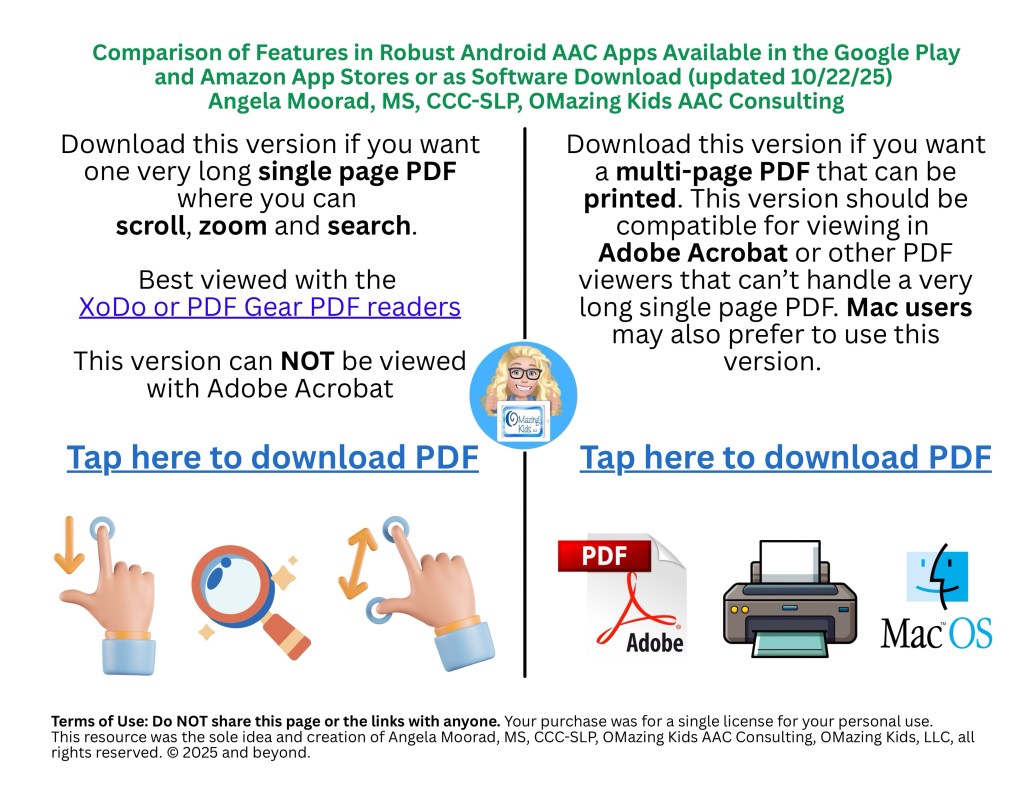
A screenshot of the new Landing Page
  • Added a new Landing Page to help folks choose which version of this resource you need (a single long page PDF where you can scroll, zoom and search OR a multipage PDF for those who want to print, view it in Adobe Acrobat or on a Mac computer)

See the preview video on TPT & YouTube:

There are 102 rows in the chart. But it’s super easy to use the “search” option in the XoDo or PDF Gear PDF viewers to find what you want quickly. See this blog post for info: https://bit.ly/XodoApp.


Looking for other in-depth AAC feature matching resources? See this blog post: https://bit.ly/5aacFeatureMatchingResources. That post also includes videos comparing the best AAC apps on various devices on various platforms.


Looking for more AAC resources? Check out the Resource Links page here on my blog: https://omazingkidsllc.com/omazing-kids-aac-resource-links


Have a question? The best way to reach me is via Facebook messaging over on my OMazing Kids page: https://www.facebook.com/OMazingKidsAAC/


Angela Moorad, MS, CCC-SLP, Founder of OMazing Kids, LLC, OMazing Kids AAC Consulting

• Teachers Pay Teachers Store: https://www.teacherspayteachers.com/Store/Omazing-Kids-Aac-Consulting

• YouTube: https://youtube.com/user/amoorad1

• Ko-Fi: https://ko-fi.com/omazingkidsaac

• OMazing Kids AAC Consulting Facebook Page: https://www.facebook.com/OMazingKidsAAC/

• AppPeeps Facebook Group: https://www.facebook.com/groups/OMazingKidsAppPeeps/

• GoTalk Now AAC & GoVisual Visual Scene Apps – Ideas and Sharing Facebook Group: https://bit.ly/GoTalkNowAACappGroup

• Instagram: https://www.instagram.com/omazingkidsaac

• X (formerly Twitter): https://www.x.com/amoorad

• Pinterest: http://pinterest.com/OMazingKids/

• Linktree: https://linktr.ee/amoorad1

• LinkedIn: https://www.linkedin.com/in/angelamooradomazingkidsaac

• AppRaven AAC App Collections: https://bit.ly/AAConAppRaven

• Blog: https://omazingkidsllc.com / Resource Links page: https://omazingkidsllc.com/omazing-kids-aac-resource-links

How do I need to be in order to be with you? With a NOW and NEXT lens (guest post by Sheridan Forster for AAC Awareness Month 2025)

I was honored to be invited to make a guest post about my work.

I am not going to be talking about apps or devices or symbol sets.

I am going to talk about meeting a person with a communication disability. Perhaps a person who has a severe or profound intellectual disability, or perhaps they don’t.

The first question in my mind is “How do I need to be in order to be with you?”  This might include where I sit, the speed and complexity of speech or not using speech, the amount of eye gaze, use of touch, degree of directness in interaction or referring more to the things around us. I observe what is responded to and what is not. I adjust what I do with an open mind to the needs for accommodations. I look for the sweet spot in which there seems to be some shared meaning, perhaps indicated in a lingered gaze, a leaning in, a responsive initiation directing the next step in our engagement.

Everyone I meet communicates expressively and receptively – and this is no exception for people with severe or profound intellectual and multiple disabilities. This might be their ALTERNATIVE communication to speech. They might communicate with symbols or without symbols. I explore how to fit myself to their receptive abilities and promote their expressions in each moment of engagement.

I consider things from the NOW and NEXT lens. 

How are they communicating today, and how do I fit into that present way of communicating? For some people, communicating with them in a way that meets their current communication needs is lacking. For the person who engages best through touch, eye gaze, and a person sitting in physical contact to feel their changes in muscle tone with pleasure or displeasure, too often they are surrounded by partners relying solely on using speech towards them that they may not hear or process. 

The first principle of my work is to guide interactions towards meeting current communication needs. This is no easy task when people may require highly individualised forms of communication and a cultural shift around them. Sadly much research has indicated that proffered interactions can be few and far between in group homes, can be unattuned to individual communication levels, and can ask partners to interact in a new way. 

Much of my work is seeing when interaction does work and promoting this. A staff member sitting on the floor is recognised as attunement. A staff member repeating back the sounds of a person is seen as having a conversation without words that enables reciprocity. Seeing someone actively interpreting the movements of someone towards them is celebrated as valued social engagement – much like the relational doses discussed by Bruce Perry in the Neurosequential Model of Therapeutics.

Getting NOW communication right can be the entire focus of communication supports. Often latent (skills always there but rarely showed) communication skills and sometimes new skills may arise through better attuned interaction

This dynamic, moment to moment engagement involves far more than what might be written in a gesture/symbol dictionary or communication profile. Often the dynamics of sustained engagement are best captured through video recordings and rich discussions of the possibilities inherent in real engagement. 

Sometimes NEXT communication skills might be worked on. But these are never worked on in isolation to the NOW communication skills. A firm foundation or shared meaning using what the person can do now is needed to build new skills. 

For some people learning new skills is difficult and for some even maintaining present skills can be a challenge. It is perhaps analogous to a first and second language. For some people, their first language might be body language, facial expression, and sounds. Perhaps we aim to teach them a second language of pictures for communication. If we only speak to them using a second language that they have not mastered, there might be an absence of shared meaning. However if we maintain the use of their first language (albeit not a symbolic language), we maintain some form of shared meaning – such as a delight or interest expression – fundamental indications that the person is being noticed, witnessed, worthy of sincere attention and sharing of experiences.

“How do I need to be in order to be with you NOW and possibly NEXT?” is my starting point with each individual.


Want to learn more?

Join the “HOP: Hanging Out Program” Facebook group – a group focusing on people with severe or profound intellectual disabilities, bringing together research, good practice, and ethical considerations: https://www.facebook.com/groups/hangingoutprogram 


Website: https://sheridanforster.com.au 

About: https://sheridanforster.com.au/about/ 

Hanging Out Program: https://sheridanforster.com.au/passions/hanging-out-program-hop/

Helpful Links:  https://sheridanforster.com.au/links/ 


Note from Angela: I invited Sheridan to do this guest blog post during AAC Awareness Month to help boost the signal of her very important work. I enjoy the deep perspectives and resources that she shares in her Facebook group and I admire her willingness to speak up when online discussions in other groups become too narrowly focused on symbolic communication and high tech AAC. 


11/1/25: A must read related post by N of 1 on Facebook:

https://www.facebook.com/story.php?story_fbid=840384161829423&id=100075735411407


Looking for more AAC resources? Check out the Resource Links page here on my blog: https://omazingkidsllc.com/omazing-kids-aac-resource-links


Have a question? The best way to reach me is via Facebook messaging over on my OMazing Kids page: https://www.facebook.com/OMazingKidsAAC/


Angela Moorad, MS, CCC-SLP, Founder of OMazing Kids, LLC, OMazing Kids AAC Consulting

• Teachers Pay Teachers Store: https://www.teacherspayteachers.com/Store/Omazing-Kids-Aac-Consulting

• YouTube: https://youtube.com/user/amoorad1

• Ko-Fi: https://ko-fi.com/omazingkidsaac

• OMazing Kids AAC Consulting Facebook Page: https://www.facebook.com/OMazingKidsAAC/

• AppPeeps Facebook Group: https://www.facebook.com/groups/OMazingKidsAppPeeps/

• GoTalk Now AAC & GoVisual Visual Scene Apps – Ideas and Sharing Facebook Group: https://bit.ly/GoTalkNowAACappGroup

• Instagram: https://www.instagram.com/omazingkidsaac

• X (formerly Twitter): https://www.x.com/amoorad

• Pinterest: http://pinterest.com/OMazingKids/

• Linktree: https://linktr.ee/amoorad1

• LinkedIn: https://www.linkedin.com/in/angelamooradomazingkidsaac

• AppRaven AAC App Collections: https://bit.ly/AAConAppRaven

• Blog: https://omazingkidsllc.com / Resource Links page: https://omazingkidsllc.com/omazing-kids-aac-resource-links

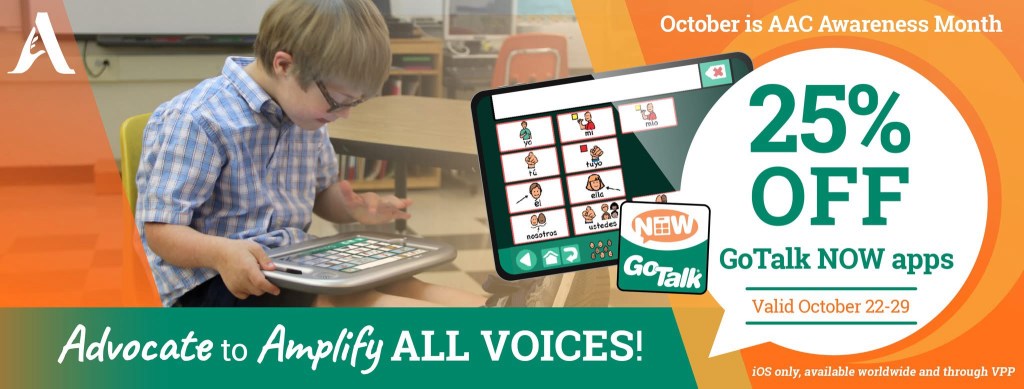
GoTalk Now: An AAC option that will reliably and easily include embedded video and music files when backing up and sharing a Communication Book. Rare sale on this app starts October 22, 2025.

If you are looking for an AAC option that will reliably and easily include videos and music files stored on that iPad that have been linked to play on a button then GoTalk Now is a tool that you should consider adding to your AAC toolkit.

Mark your calendar so you don’t miss their upcoming sale on October 22-29, 2025. It’s very rare for Attainment Company, Inc. to offer a sale. See the pricing history on AppRaven for GoTalk Now (https://appraven.net/app/1040142) & GoTalk Now Plus (https://appraven.net/app/4293360).

When you export a Communication Book from GoTalk Now (or GoTalk Now Plus) using the “Share Compressed Book” option it fully embeds and includes all videos, music files, recorded audio, photos, etc.. and reliably includes those when backing up and sharing.

That’s why I recommend GoTalk Now (or GoTalk Now Plus) as a supplemental tool in the AAC toolbox for those who will be using lots of video clips or music.

Note: The free GoTalk Now Lite and inexpensive GoTalk Start versions of this app do not have a way to backup or share.


Feel free to join my GoTalk Now AAC & GoVisual Visual Scene Apps – Ideas and Sharing Facebook Group: https://bit.ly/GoTalkNowAACappGroup. There are now two staff from Attainment Company, Inc. in the group.

Be sure to answer the questions when requesting to join and if you invite folks to join be sure they answer the questions. That’s how I keep the group secure from spammers.


Looking for in-depth AAC feature matching resources? See this blog post: https://bit.ly/5aacFeatureMatchingResources. That post also includes videos comparing the best AAC apps on various devices on various platforms.


Looking for more AAC resources? Check out the Resource Links page here on my blog: https://omazingkidsllc.com/omazing-kids-aac-resource-links


Have a question? The best way to reach me is via Facebook messaging over on my OMazing Kids page: https://www.facebook.com/OMazingKidsAAC/


Angela Moorad, MS, CCC-SLP, Founder of OMazing Kids, LLC, OMazing Kids AAC Consulting

• Teachers Pay Teachers Store: https://www.teacherspayteachers.com/Store/Omazing-Kids-Aac-Consulting

• YouTube: https://youtube.com/user/amoorad1

• Ko-Fi: https://ko-fi.com/omazingkidsaac

• OMazing Kids AAC Consulting Facebook Page: https://www.facebook.com/OMazingKidsAAC/

• AppPeeps Facebook Group: https://www.facebook.com/groups/OMazingKidsAppPeeps/

• GoTalk Now AAC & GoVisual Visual Scene Apps – Ideas and Sharing Facebook Group: https://bit.ly/GoTalkNowAACappGroup

• Instagram: https://www.instagram.com/omazingkidsaac

• X (formerly Twitter): https://www.x.com/amoorad

• Pinterest: http://pinterest.com/OMazingKids/

• Linktree: https://linktr.ee/amoorad1

• LinkedIn: https://www.linkedin.com/in/angelamooradomazingkidsaac

• AppRaven AAC App Collections: https://bit.ly/AAConAppRaven

• Blog: https://omazingkidsllc.com / Resource Links page: https://omazingkidsllc.com/omazing-kids-aac-resource-links
iPadOS 26 / iOS 26 Coming Soon – Tips to Avoid Issues with AAC Apps

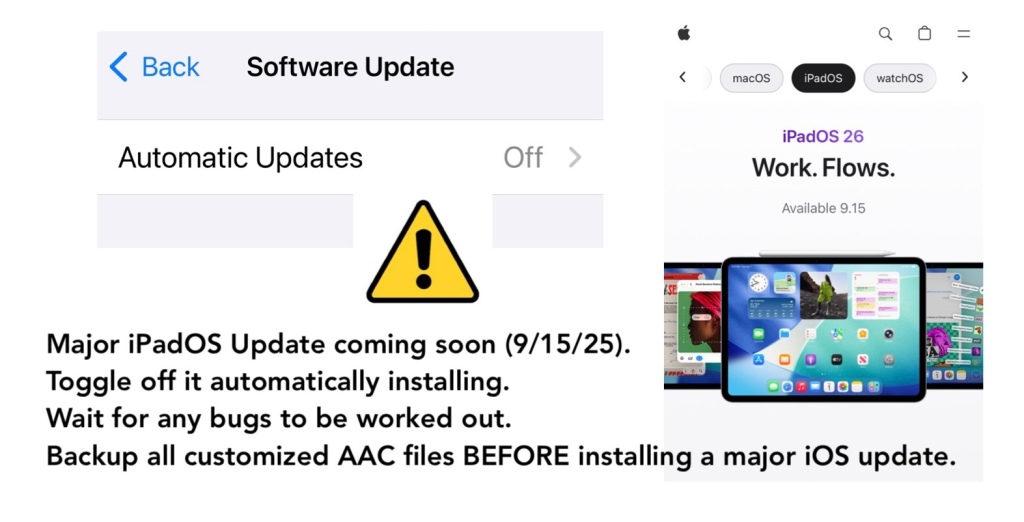
Major iPadOS / iOS update coming soon. Apple announced it will release iPadOS 26 & iOS 26 on September 15, 2025.

Tips for those using an iPad or iPhone for AAC:

  • ⚙️ Toggle off it automatically installing iOS updates in the device Settings.
  • ⏳ Wait for any bugs to be worked out. There are always things that Apple and App Developers need to fix especially after major iOS updates.
  • ⚠️ Backup all customized AAC files BEFORE installing a major iOS update.

If your device is on a MDM device management system then you may not have control over it updating but you should still have a way to backup your customized AAC vocabulary files / grid sets / page sets / board sets to safeguard them and to have a way to restore them if needed.

https://www.apple.com/os/ipados/

https://www.apple.com/os/ios/


Looking for in-depth AAC feature matching resources? See this blog post: https://bit.ly/5aacFeatureMatchingResources. That post also includes videos comparing the best AAC apps on various devices on various platforms.


Looking for more AAC resources? Check out the Resource Links page here on my blog: https://omazingkidsllc.com/omazing-kids-aac-resource-links


Have a question? The best way to reach me is via Facebook messaging over on my OMazing Kids page: https://www.facebook.com/OMazingKidsAAC/


Angela Moorad, MS, CCC-SLP, Founder of OMazing Kids, LLC, OMazing Kids AAC Consulting

• Teachers Pay Teachers Store: https://www.teacherspayteachers.com/Store/Omazing-Kids-Aac-Consulting

• YouTube: https://youtube.com/user/amoorad1

• Ko-Fi: https://ko-fi.com/omazingkidsaac

• OMazing Kids AAC Consulting Facebook Page: https://www.facebook.com/OMazingKidsAAC/

• AppPeeps Facebook Group: https://www.facebook.com/groups/OMazingKidsAppPeeps/

• GoTalk Now AAC & GoVisual Visual Scene Apps – Ideas and Sharing Facebook Group: https://bit.ly/GoTalkNowAACappGroup

• Instagram: https://www.instagram.com/omazingkidsaac

• X (formerly Twitter): https://www.x.com/amoorad

• Pinterest: http://pinterest.com/OMazingKids/

• Linktree: https://linktr.ee/amoorad1

• LinkedIn: https://www.linkedin.com/in/angelamooradomazingkidsaac

• AppRaven AAC App Collections: https://bit.ly/AAConAppRaven

• Blog: https://omazingkidsllc.com / Resource Links page: https://omazingkidsllc.com/omazing-kids-aac-resource-links
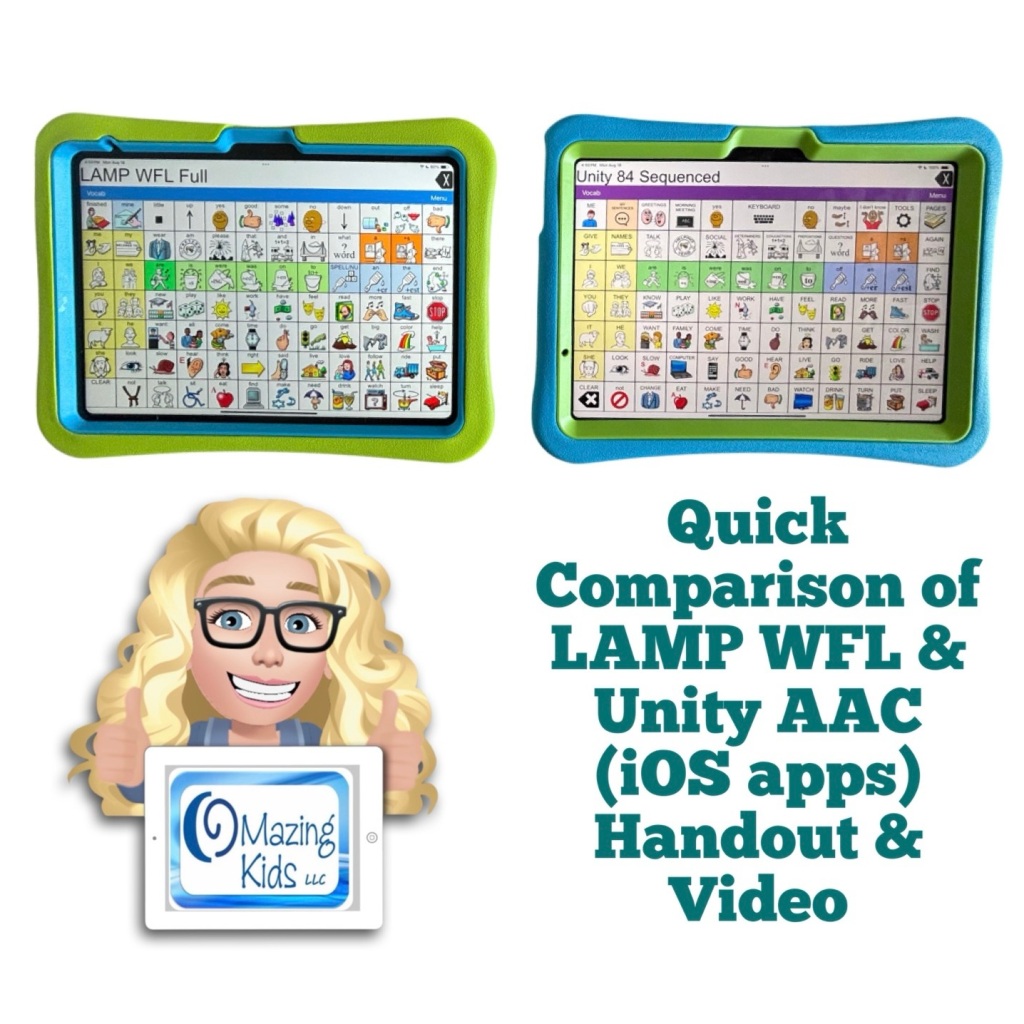
Quick Comparison of LAMP Words for Life & Unity AAC iOS Apps

Want a quick way to compare some of the main differences between the new Unity AAC iOS app & the LAMP Words for Life iOS app?

✅ Check out my brand new resource “Quick Comparison of LAMP Words for Life & Unity AAC iOS Apps”

🎯 This resource includes a two page PDF handout with 23 rows comparing key differences between the LAMP Words for Life & Unity AAC iOS apps + exclusive access to an 49:29 unlisted YouTube video where I show the differences. It is designed for a quick comparison (not an in-depth look at all of the features).

🥳 Available on TPT: https://bit.ly/QuickCompareUnityLAMPiOSapps


Created 8/19/25. This just highlights a few differences between these two iOS apps (not all of the features). 

In-depth info about LAMP WFL features can be found in the Feature Matching Chart for the Top 13+ Robust iOS Symbol-Based AAC Apps: https://bit.ly/SymbolBasedAACapps

I’ll add info about the new iOS Unity AAC app to that soon.

Neither app is “better” than the other. It depends on the needs of the AAC user, their family and others supporting AAC use. Additional features may be available if using either software on PRC-Saltillo SGDs. Contact your local PRC-Saltillo Consultant for info about options on their SGDs.


Looking for in-depth AAC feature matching resources? See this blog post: https://bit.ly/5aacFeatureMatchingResources. That post also includes videos comparing the best AAC apps on various devices on various platforms.


Looking for more AAC resources? Check out the Resource Links page here on my blog: https://omazingkidsllc.com/omazing-kids-aac-resource-links


Have a question? The best way to reach me is via Facebook messaging over on my OMazing Kids page: https://www.facebook.com/OMazingKidsAAC/


Angela Moorad, MS, CCC-SLP, Founder of OMazing Kids, LLC, OMazing Kids AAC Consulting

• Teachers Pay Teachers Store: https://www.teacherspayteachers.com/Store/Omazing-Kids-Aac-Consulting

• YouTube: https://youtube.com/user/amoorad1

• Ko-Fi: https://ko-fi.com/omazingkidsaac

• OMazing Kids AAC Consulting Facebook Page: https://www.facebook.com/OMazingKidsAAC/

• AppPeeps Facebook Group: https://www.facebook.com/groups/OMazingKidsAppPeeps/

• GoTalk Now AAC & GoVisual Visual Scene Apps – Ideas and Sharing Facebook Group: https://bit.ly/GoTalkNowAACappGroup

• Instagram: https://www.instagram.com/omazingkidsaac

• X (formerly Twitter): https://www.x.com/amoorad

• Pinterest: http://pinterest.com/OMazingKids/

• Linktree: https://linktr.ee/amoorad1

• LinkedIn: https://www.linkedin.com/in/angelamooradomazingkidsaac

• AppRaven AAC App Collections: https://bit.ly/AAConAppRaven

• Blog: https://omazingkidsllc.com / Resource Links page: https://omazingkidsllc.com/omazing-kids-aac-resource-links
How to Get Free Professional Access to Robust and Unique AAC Apps

How to Get Free Professional Access to Robust and Unique AAC Apps: https://bit.ly/FreeAAC4ProfessionalUse

Professionals need access in order to take AAC on a “test drive”. This new FREE handout includes info about how SLPs / SLTs and other AAC professionals can get access to over 25 robust and unique AAC apps or software for iOS, Android, Amazon Fire and Windows.


There is no “one size fits all” to anything about AAC and many individuals will need to use a variety of options (non tech, mid tech, high tech (SGDs, apps on an iPad or iPhone or other tablet or phone), sign language, gestures, facial expressions, vocalizations, segments of videos for gestalts, handwriting, etc…) as part of a multimodal system to support communication across environments and situations.

An AAC app is often part of a successful multimodal AAC system. While there isn’t any “perfect” AAC app there are features in these apps that might make some a better “fit” over other options.

It’s similar to taking a test drive to find a form of transportation that you like and meets your needs at that point in your life. All cars have an engine, tires and seats. Your first car may have been very basic transportation. But think about your dream vehicle. What features would it have? Why would you choose it over a different option? Older individuals might prioritize safety features. A teen or single young adult might prioritize the “look” / how “cool” it is. A family with young children might prioritize how many car seats can fit and storage. Others might prioritize fuel efficiency and eco-friendliness. You might ride a bike, subway, train, take an Uber ride, take a ferry, paddle in a canoe, etc. None of these is necessarily “better” than another or the “best” form of transportation. The “best” option is the one that meets the needs of that individual in that situation.


Looking for free trials of robust AAC apps for individual non-professional use? See this free resource: https://www.teacherspayteachers.com/Product/Free-Trials-of-Robust-AAC-Apps-for-Individuals-iOS-Android-Amazon-Windows-9598207


Looking for in-depth AAC feature matching resources? See this blog post: https://bit.ly/5aacFeatureMatchingResources. That post also includes videos comparing the best AAC apps on various devices on various platforms.


Looking for more AAC resources? Check out the Resource Links page here on my blog: https://omazingkidsllc.com/omazing-kids-aac-resource-links


Have a question? The best way to reach me is via Facebook messaging over on my OMazing Kids page: https://www.facebook.com/OMazingKidsAAC/


Angela Moorad, MS, CCC-SLP, Founder of OMazing Kids, LLC, OMazing Kids AAC Consulting

• Teachers Pay Teachers Store: https://www.teacherspayteachers.com/Store/Omazing-Kids-Aac-Consulting

• YouTube: https://youtube.com/user/amoorad1

• Ko-Fi: https://ko-fi.com/omazingkidsaac

• OMazing Kids AAC Consulting Facebook Page: https://www.facebook.com/OMazingKidsAAC/

• AppPeeps Facebook Group: https://www.facebook.com/groups/OMazingKidsAppPeeps/

• GoTalk Now AAC & GoVisual Visual Scene Apps – Ideas and Sharing Facebook Group: https://bit.ly/GoTalkNowAACappGroup

• Instagram: https://www.instagram.com/omazingkidsaac

• X (formerly Twitter): https://www.x.com/amoorad

• Pinterest: http://pinterest.com/OMazingKids/

• Linktree: https://linktr.ee/amoorad1

• LinkedIn: https://www.linkedin.com/in/angelamooradomazingkidsaac

• AppRaven AAC App Collections: https://bit.ly/AAConAppRaven

• Blog: https://omazingkidsllc.com / Resource Links page: https://omazingkidsllc.com/omazing-kids-aac-resource-links
Forget Me Not: Inclusion in the Classroom documentary & more on the If We Knew Then podcast

I encourage EVERYONE to watch the Forget Me Not: Inclusion in the Classroom documentary and then watch or listen to episodes 179 & 181 of the If We Knew Then podcast. 

Everyone deserves the right to an equal opportunity for education.

  • The type of segregation and discrimination seen in the documentary and discussed in the podcast must end.
  • Parents should not have to endure this type of trauma from educational systems.
  • There needs to be proper supports in place for inclusion.

Forget Me Not: Inclusion in the Classroom documentary: https://forgetmenotdocumentary.com/index.php/streaming/.

I am in the USA and watched it free on Hoopla through my public library. It’s also available for free streaming on Tubi.

After watching it I wanted to find out how their story progressed. After a bit of searching online I found two podcast episodes in 2025.


Episode 179: https://ifweknewthen.podbean.com/e/179-forget-me-not-inclusion-in-the-classroom-documentary-hilda-olivier-bernier/; also on YouTube:


Episode 181: https://ifweknewthen.podbean.com/e/181-olivier-and-hilda-bernier/; also on YouTube:


If you are a parent in the state of Oklahoma in the USA and need help from a parent advocate regarding your child’s IFSP or IEP, reach out to the Oklahoma Parents Center: https://oklahomaparentscenter.org

See additional information about special ed parent advocates on this blog post by A Day in Our Shoes: https://adayinourshoes.com/free-special-education-advocate/

Want a deep dive into special ed laws and advocacy in the USA? See the WrightsLaw website: https://www.wrightslaw.com


Have a question? The best way to reach me is via Facebook messaging over on my OMazing Kids page: https://www.facebook.com/OMazingKidsAAC/

(Disclaimer: I am not a parent advocate and cannot advise anyone regarding their individual child’s IFSP or IEP. I am providing information in this blog post to help folks seek out help from entities equipped to do that)


Looking for in-depth AAC feature matching resources? See this blog post: https://bit.ly/5aacFeatureMatchingResources. That post also includes videos comparing AAC apps on various devices on various platforms.


Looking for AAC resources? Check out the Resource Links page my blog: https://omazingkidsllc.com/omazing-kids-aac-resource-links


Angela Moorad, MS, CCC-SLP, Founder of OMazing Kids, LLC, OMazing Kids AAC Consulting

• Teachers Pay Teachers Store: https://www.teacherspayteachers.com/Store/Omazing-Kids-Aac-Consulting

• YouTube: https://youtube.com/user/amoorad1

• Ko-Fi: https://ko-fi.com/omazingkidsaac

• OMazing Kids AAC Consulting Facebook Page: https://www.facebook.com/OMazingKidsAAC/

• AppPeeps Facebook Group: https://www.facebook.com/groups/OMazingKidsAppPeeps/

• GoTalk Now AAC & GoVisual Visual Scene Apps – Ideas and Sharing Facebook Group: https://bit.ly/GoTalkNowAACappGroup

• Instagram: https://www.instagram.com/omazingkidsaac

• Instagram Threads: https://www.threads.net/@omazingkidsaac

• X (formerly Twitter): https://www.x.com/amoorad

• Pinterest: http://pinterest.com/OMazingKids/

• Linktree: https://linktr.ee/amoorad1

• LinkedIn: https://www.linkedin.com/in/angelamooradomazingkidsaac

• Reddit: https://www.reddit.com/u/VintageVeraBradley/s/w3L1d8H5rk

• AppRaven AAC App Collections: https://bit.ly/AAConAppRaven

• Blog: https://omazingkidsllc.com / Resource Links page: https://omazingkidsllc.com/omazing-kids-aac-resource-links